$59.99
PSA's cheapest service level open right now, per card (October 2026). Add shipping both ways.
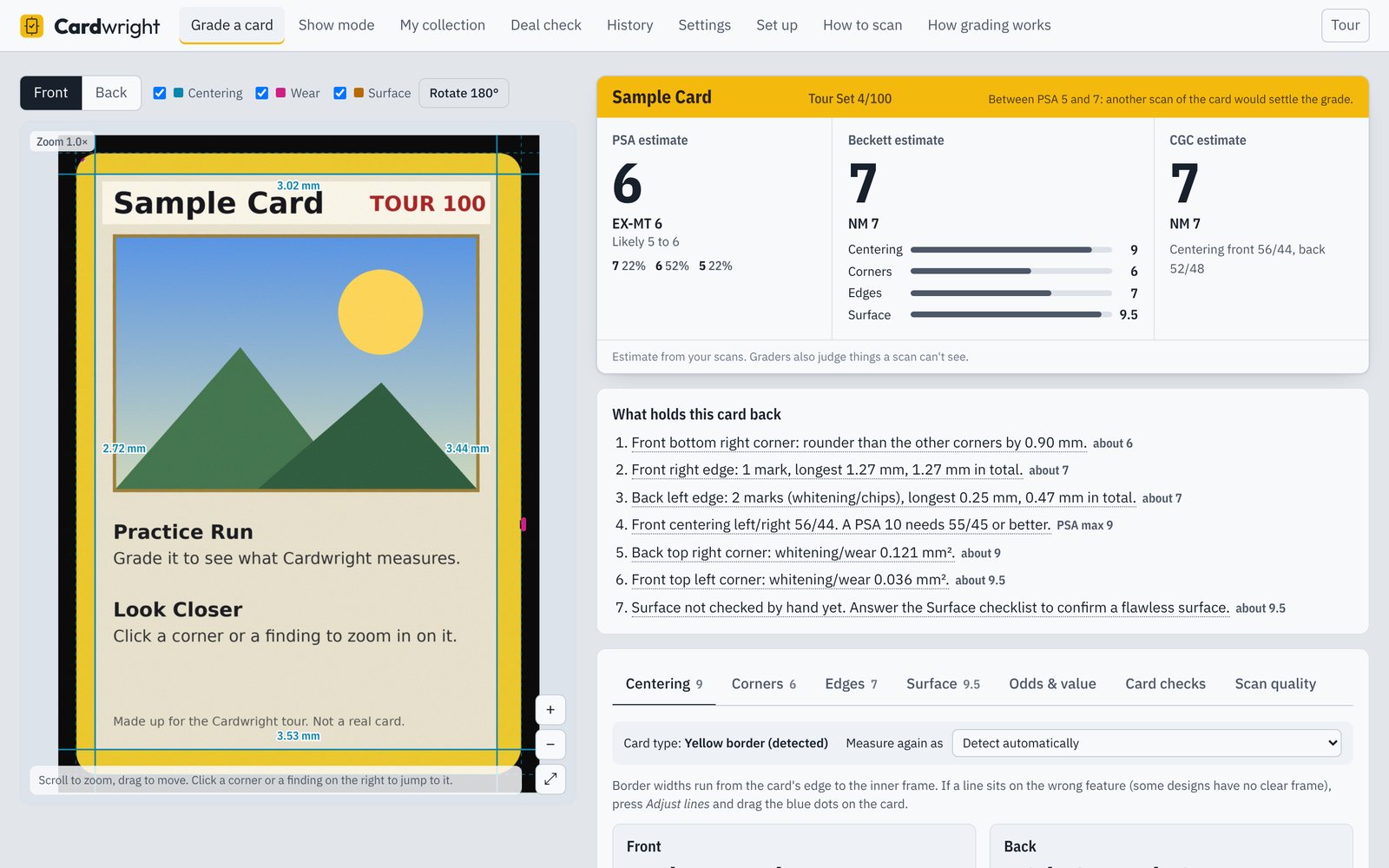
Cardwright measures a scanned card the way a grader looks at it: the centering on all four sides, every corner and edge, and the surface. Then it estimates the PSA, Beckett and CGC grade and tells you whether sending it in is likely to pay.
Windows 10 and 11. Works with any flatbed scanner at 600 dpi. Your scans never leave your computer.
PSA's cheapest service level open right now, per card (October 2026). Add shipping both ways.
A card that comes back a 7 instead of the 9 you hoped for can turn a profit into a loss.
Cardwright, once. Less than grading one card, and it checks every card before you send it.
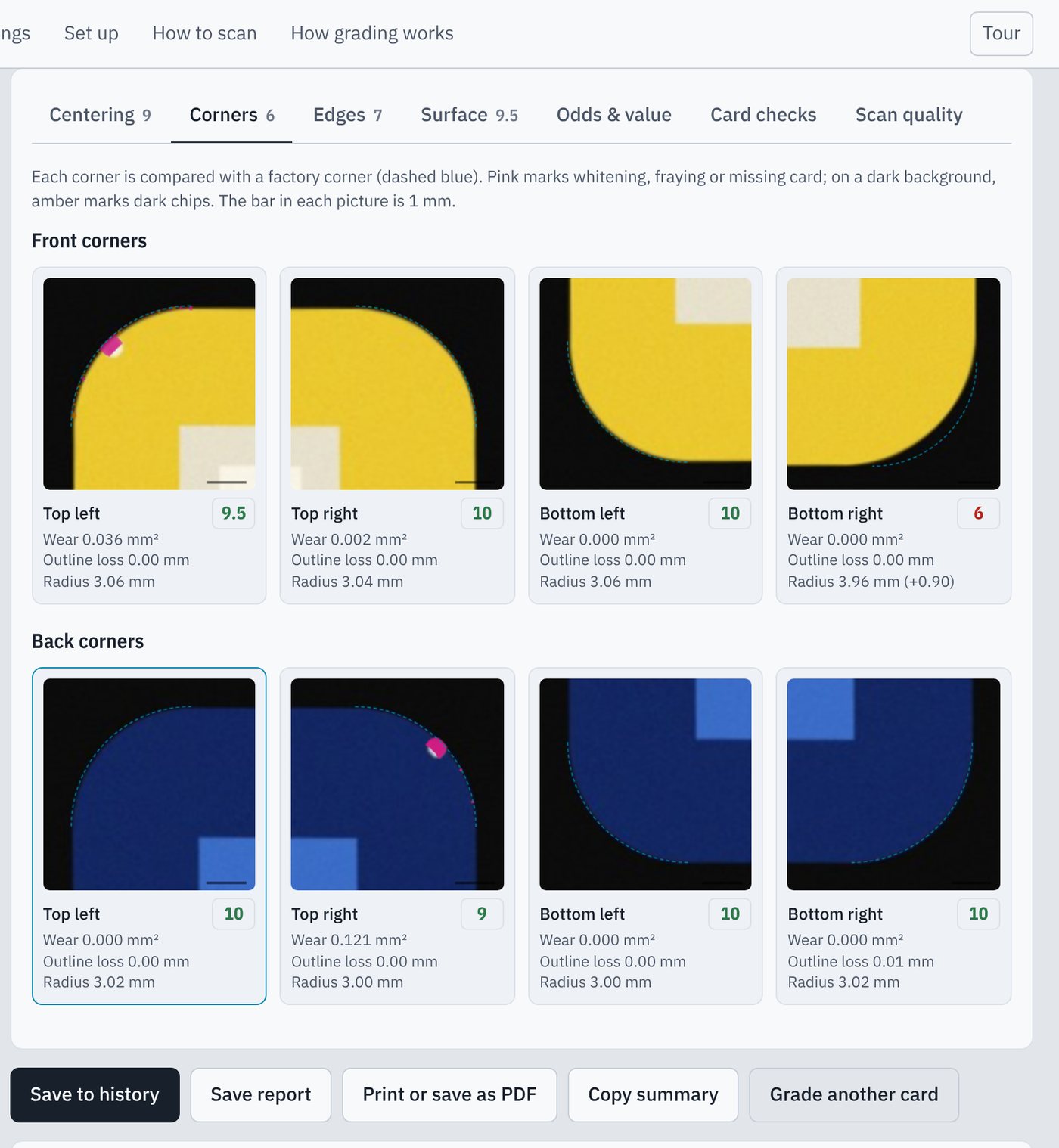
Scan the front and the back. Cardwright finds the card, straightens it and measures it against PSA's, Beckett's and CGC's published standards. There's no AI guessing at a grade: every number comes from a measurement you can see on the card and check yourself.
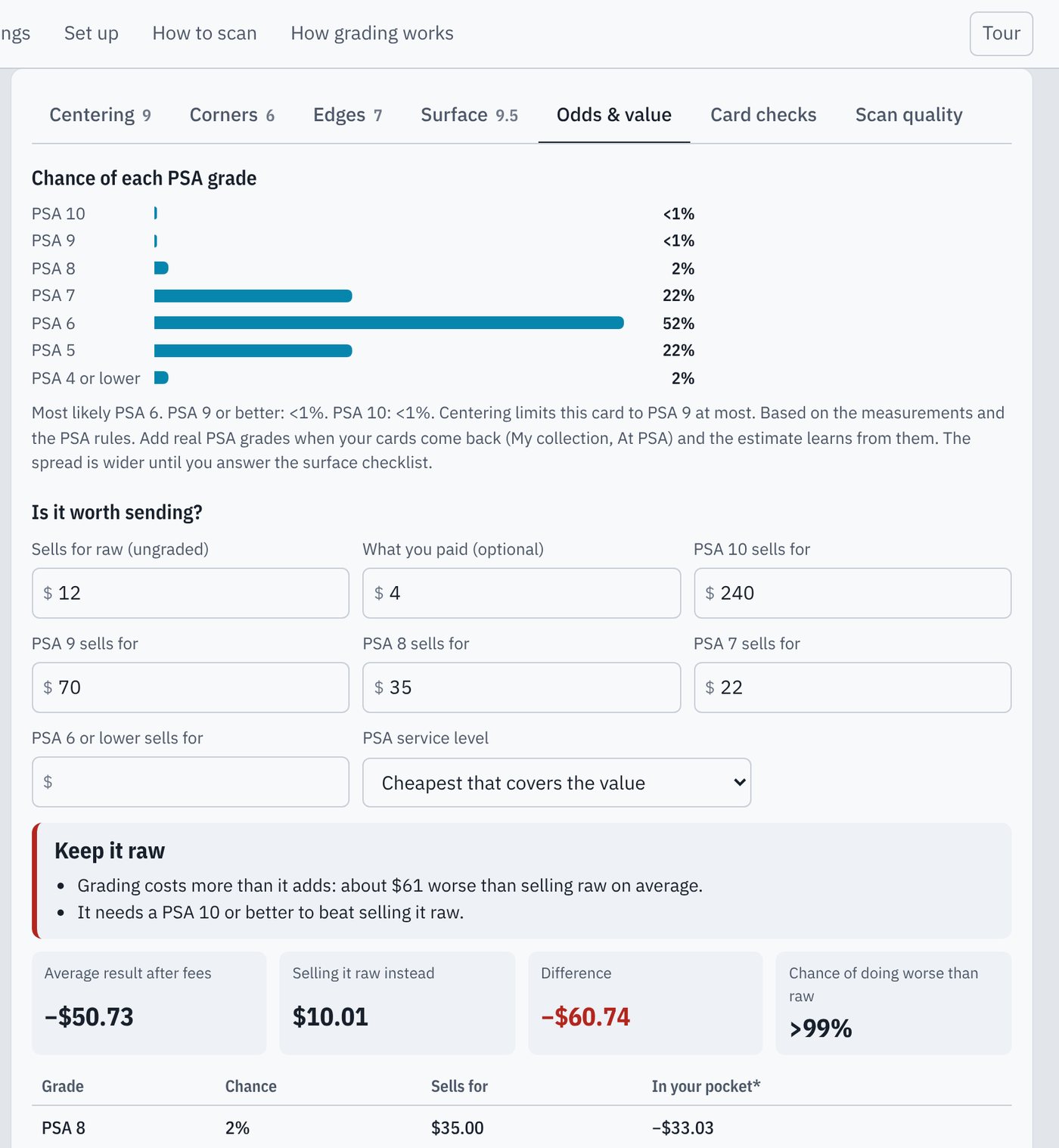
Cardwright turns its measurements into the chance of each PSA grade, fills in what the card sells for raw and graded, and takes off PSA's fee, shipping and selling fees. Then it says what to do: send it, keep it, or sell it raw.
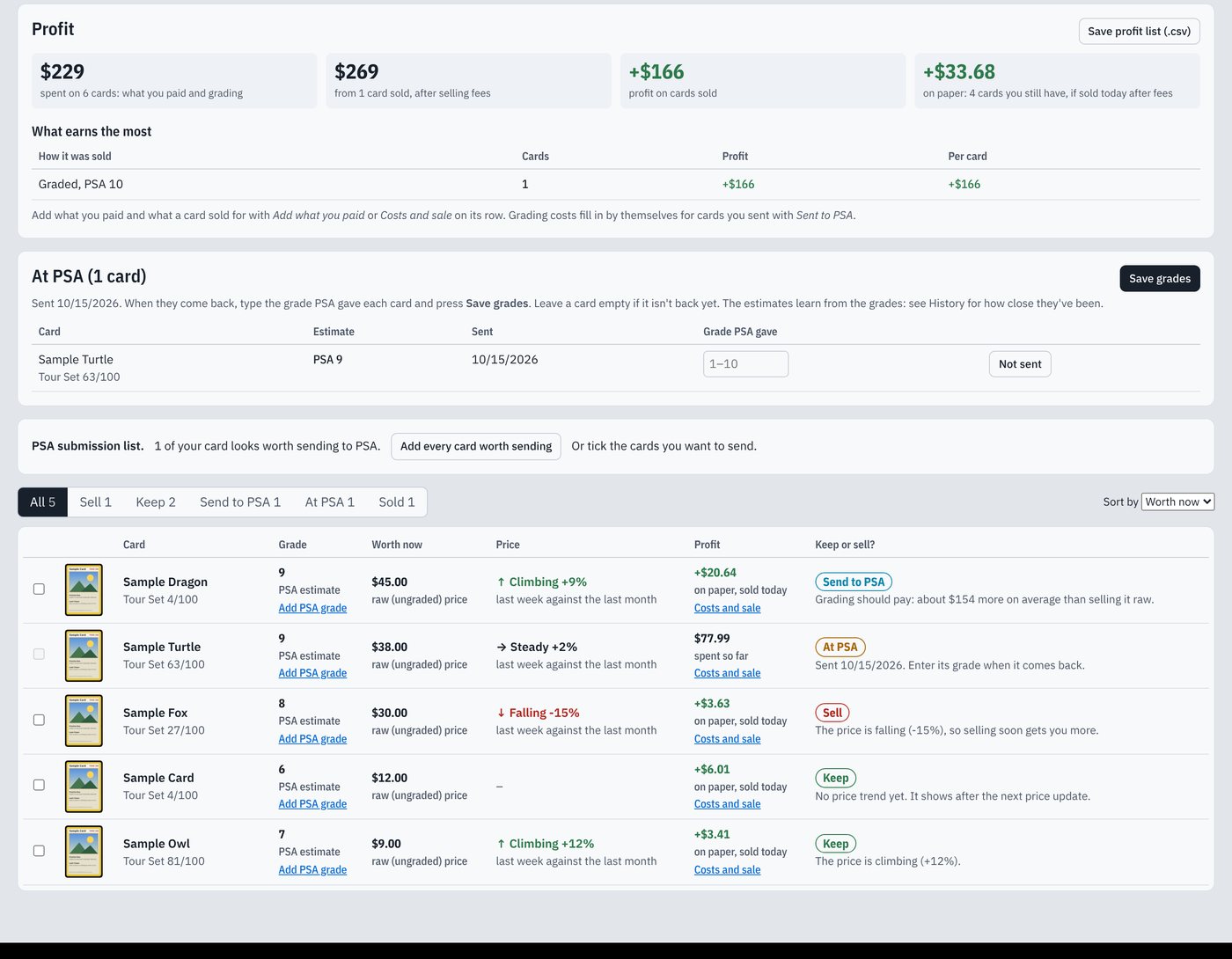
Every card you save goes into My collection: what it's worth now, whether its price is climbing or falling, and whether to keep it, sell it or send it to PSA. Add what you paid and what it sold for, and it shows your profit on each card after every fee.
When you're ready to submit, it puts every card worth grading on one list, grouped by PSA service level, with the fees and the expected profit.
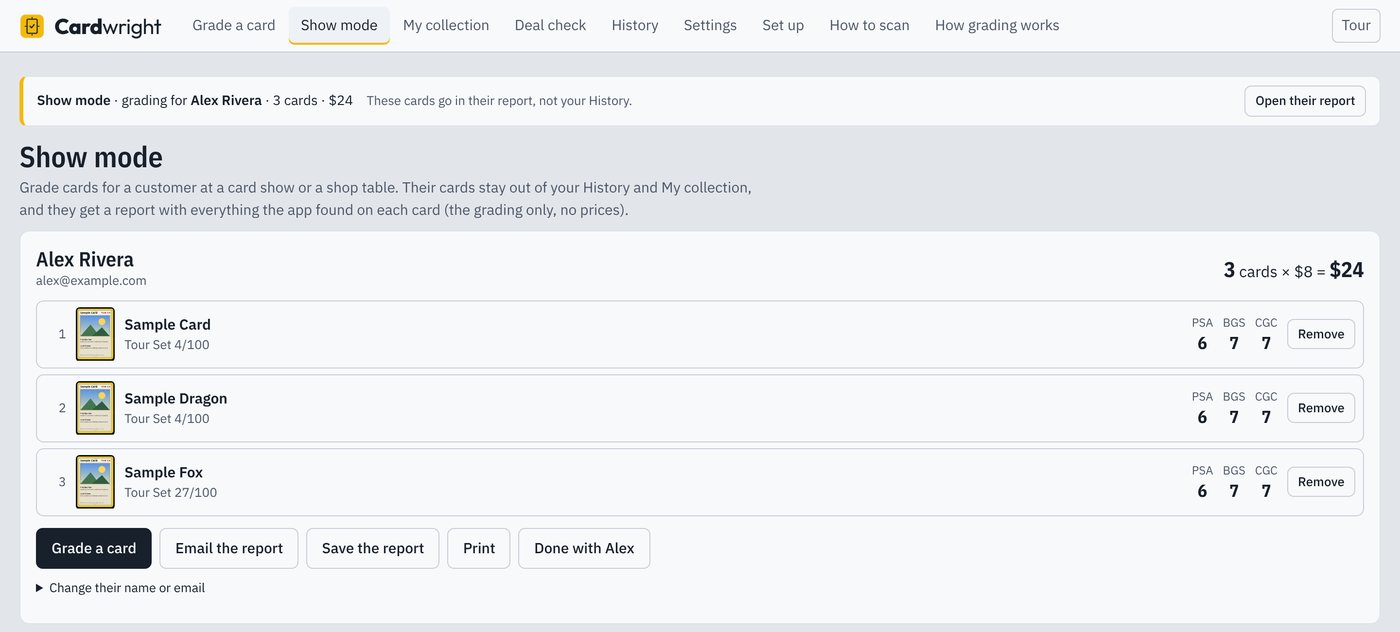
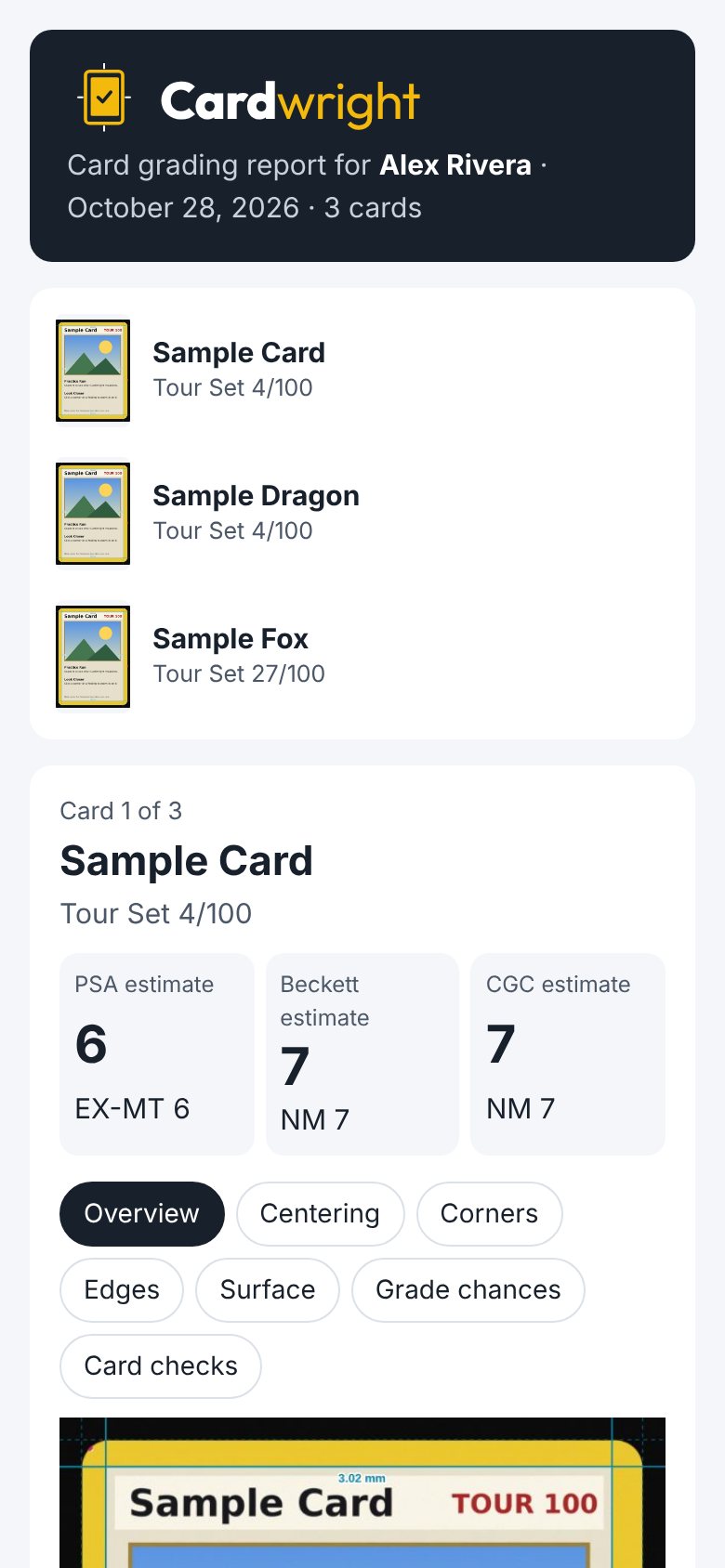
Set up at a table with a laptop and a scanner. Start a customer with their name and email, grade their cards one after another, and email them a report with everything Cardwright found on every card. Their cards stay out of your own History and collection.
Point it at the folder your scanner saves to. Scan the front, flip the card, scan the back: a few seconds later it's graded, named, priced and saved.
It reads the name and number off the scan and finds the exact card, full arts and promos included, so you don't type anything.
Type in the grades when your cards come back, and the estimates adjust to how PSA grades your cards, down to where they tend to miss.
When a card sits right between two grades, it asks for one more scan and combines both into a steadier answer.
Scan a graded slab to measure the card's centering through the plastic, and see whether cracking it out to send it again could ever come back higher.
Size, square corners, straight cuts, the back's colour and, at 800 dpi and up, the print pattern, against your own scanner's calibration.
The chance of a Black Label next to the PSA 10 odds, the chance of each Beckett grade, and whether Beckett or PSA leaves you more after fees.
30th Celebration and Celebrations Classic Collection reprints are told from the originals by their anniversary stamp, and priced as the reprint they are.
Before you buy a card, scan it or use the seller's photos to see the most it's worth paying.
Cardwright gives you an estimate, not a promise. A flat scan can't see dents, the gloss, or every scratch on a holo, so it asks you to check the surface under a light and counts what you find. Graders handle the card, tilt it and use their judgement, and they don't always agree with each other.
Use it to decide which cards are worth the fee and to catch problems before you pay, not to tell a buyer what a card will grade.
Grade 5 cards free first, on your own scanner. If Standard isn't for you after you buy it, you get your money back within 14 days.
Payment is handled by Gumroad, which emails your license key with the receipt. If you own Standard and cancel Pro, Standard keeps working; only Show mode stops.
It applies the standards PSA, Beckett and CGC publish to what it measures, and shows the chance of each grade rather than one number. Once you type in the grades your cards get back, it adjusts to how PSA grades your cards. Try it on cards you've already had graded: that's the quickest way to see how it does with your scanner.
Not yet. Centering, corners and edges need the detail and the even light of a flatbed scan. A phone version is in the works.
Pokémon cards, English and Japanese, from the original Base Set to today: yellow, silver and full-art borders. Recognising the card and looking up its price work best for English cards.
No. Everything is measured on your computer. When it's online, it sends only a card's name and number to look up its price, and your license key once to unlock it. See the privacy policy.
No. Cardwright isn't affiliated with PSA, Beckett, CGC or The Pokémon Company. It uses their published grading standards and fees.
Standard is for grading your own cards, as many as you like, for one payment. Pro is a monthly subscription for grading other people's cards: at a card show, an event or your shop. It adds Show mode, with a customer list, a running total and a full report you email to each customer, and it's licensed for business use. If you'd charge people to grade their cards with Cardwright, you need Pro.
Standard works on your own computers, such as a desktop and a laptop. Pro works on up to 3 computers, so you can run more than one table.
Try the free cards first: the setup page tests your scanner and says exactly which setting to change. If you buy it and it still isn't for you, email us within 14 days for a full refund. See the refund policy.
Windows shows that warning for new apps it hasn't seen many people install yet. Click More info, then Run anyway. Every Cardwright update is signed, and the app installs only updates that carry that signature.